A new website should bring more leads — not make you disappear from Google. Yet we get calls every month from Minneapolis business owners who just paid for a beautiful Website Redesign Minneapolis and lost 70% of their traffic overnight.
It happens because most designers design for looks, not for SEO. If your redesign doesn’t have an SEO protection plan, you’re not getting a redesign — you’re starting over from zero.
At Optimum Design Technology, every redesign includes a Website Redesign SEO Minneapolis preservation strategy. Here’s how we protect rankings, and how you can avoid a disaster.
Why Businesses Lose SEO During a Redesign
Google has spent years learning to trust your website — your pages, your content, your backlinks. When you change your URLs, delete content, or restructure without a plan, Google sees a brand new, untrustworthy site.
The top 3 SEO killers:
1. No 301 Redirect Map: You had a page at /services/plumbing that ranked. Your new site has /plumbing-services. Without a 301 redirect, Google shows a 404 error, and all that ranking power is gone.
2. Deleting High-Performing Content: That 500-word service page that brought you 20 calls a month? A designer deletes it because it “looks cluttered.” Your leads disappear with it.
3. Changing Everything at Once: Changing your URL structure, content, title tags, and internal links all at once without keeping any SEO signals confuses Google.
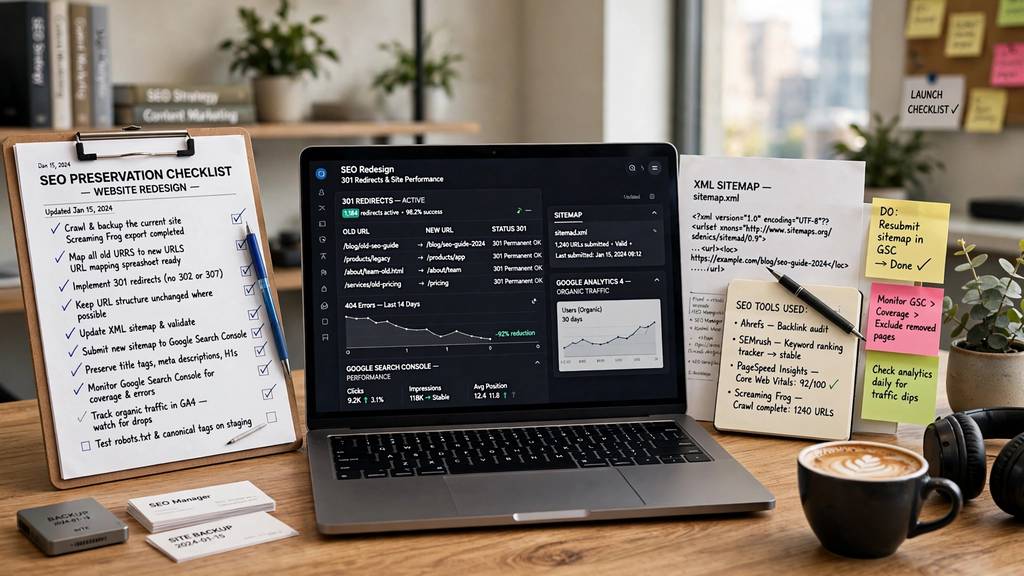
The SEO Protection Checklist for a Safe Redesign
Before you launch anything, insist on this:
1. Complete SEO Audit & Inventory (Week 1)
Crawl your entire current site. Export every URL, title tag, meta description, H1, and organic traffic data from Google Search Console. Identify your top 20 pages that drive traffic for keywords like “plumber Minneapolis,” “roofing Edina,” etc. These pages must be protected and improved, never deleted.
2. Create a Full 301 Redirect Map
Every single old URL must have a new destination. Map it in a spreadsheet: old URL -> new URL. This is non-negotiable. One missed redirect for a page with backlinks can cost you thousands in lost business. Test all redirects before launch.
3. Keep and Optimize Your SEO Equity
Keep the same URL structure where possible. If you must change it, use 301s.
Keep your main keyword themes on each page. If your page ranked for “Website Redesign SEO Minneapolis,” the new page must still cover that topic comprehensively — but better.
Keep your internal linking. Your homepage should still link to your most important service pages.
Preserve your local SEO signals: Name, Address, Phone (NAP), embedded Google Map, and LocalBusiness schema.
4. On-Page SEO for the New Site
This is your chance to improve, not just preserve:
Write new title tags: “Website Redesign SEO Minneapolis | Optimum Design Technology”
Add unique, location-specific content for each Twin Cities suburb you serve: Maplewood, Bloomington, Coon Rapids, Burnsville
Improve PageSpeed to 90+ on mobile — Google now uses Core Web Vitals as a ranking factor
Add proper schema markup for services, FAQs, and reviews
5. Post-Launch Monitoring
For 30 days after launch, watch Google Search Console daily for 404 errors, indexing issues, and ranking drops. Submit your new sitemap immediately.
A beautiful website that no one can find is worthless. A strategic Website Redesign SEO Minneapolis plan ensures your new site looks amazing and ranks higher than your old one.
Worried about losing your rankings?
At Optimum Design Technology, we specialize in SEO-safe website redesigns for Minneapolis businesses. We protect your rankings while building a site that converts better than ever.
Call Today for Free Consultation! 260-220-9000