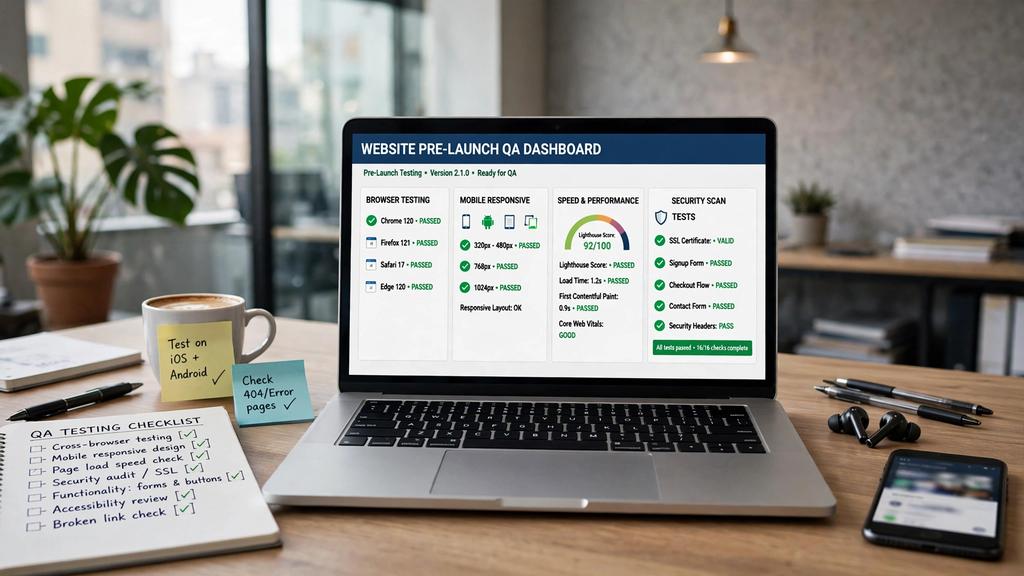
A new website launch is exciting — until you realize your phone number is wrong, your contact form isn’t sending leads, and your site is invisible on mobile in Edina. For Minneapolis businesses, launching without testing is how you lose leads on day one.
At Optimum Design Technology, we never launch a site without running our full Website Launch Checklist Minneapolis. It’s the difference between a smooth launch that generates leads from hour one and a launch that creates emergency calls to your web designer.
Here is the exact checklist we use for every Website Redesign Minneapolis project.
1. Functionality Testing — Does It Actually Work?
Contact Forms: Submit every form yourself. Do you get the email? Does the customer get a confirmation? Test with name, phone, email fields. Check spam folder. Make sure it routes to info@optimumdesigntech.com or your main inbox.
Click-to-Call: On your iPhone and Android, tap every phone number: 260-220-9000. Does it dial? This is critical — 65% of Minneapolis searches happen on mobile.
Navigation & Links: Click every menu item, footer link, and CTA button. Check for 404 errors. Use a broken link checker.
Booking/Scheduling: If you have online booking, complete a full test booking.
2. Mobile and Cross-Browser Testing
Test on iPhone (Safari) and Android (Chrome) — real devices, not just your computer.
Check on Chrome, Safari, Firefox, and Edge.
Is text readable without zooming? Are buttons thumb-friendly? Is your sticky call button visible?
Test your site in Maplewood, Bloomington, and Coon Rapids — different devices and internet speeds matter.
3. Speed and SEO Testing
Run Google PageSpeed Insights: Your mobile score should be 85+. If it’s under 60, you will lose rankings.
Check Core Web Vitals: LCP under 2.5s, CLS under 0.1.
On-Page SEO: Is every page using a unique title tag with Website Launch Checklist Minneapolis or your service + suburb? Are H1s correct? Are images compressed with alt text?
301 Redirects: Test your entire redirect map from your old site. Type in old URLs — do they correctly redirect?
XML Sitemap & Robots.txt: Is your sitemap at /sitemap.xml and submitted to Search Console?
4. Local SEO and Content Testing
NAP Consistency: Is your Name, Address, Phone number exactly the same as your Google Business Profile?
Proofread Everything: Check for “lorem ipsum” placeholder text, typos, and outdated addresses. Read every page out loud.
Local Proof: Are your Minneapolis-area service areas listed? Is your Google Map embedded correctly?
Trust Signals: Are reviews, testimonials, and license info visible and accurate?
5. Analytics and Security — Final Step
Is Google Analytics 4 and Google Search Console tracking working?
Is conversion tracking set up for form submissions and calls?
Is your SSL certificate active (https://)?
Is there a backup system and are WordPress/core plugins updated?
Launch day should be boring — because you already tested everything. A proper Website Launch Checklist Minneapolis process ensures your new site generates leads from minute one, instead of costing you leads while you fix bugs.
Want a launch that goes perfectly?
At Optimum Design Technology, we handle full pre-launch QA for every Minneapolis website redesign, so you launch with confidence, higher rankings, and more leads.
Call Today for Free Consultation! 260-220-9000